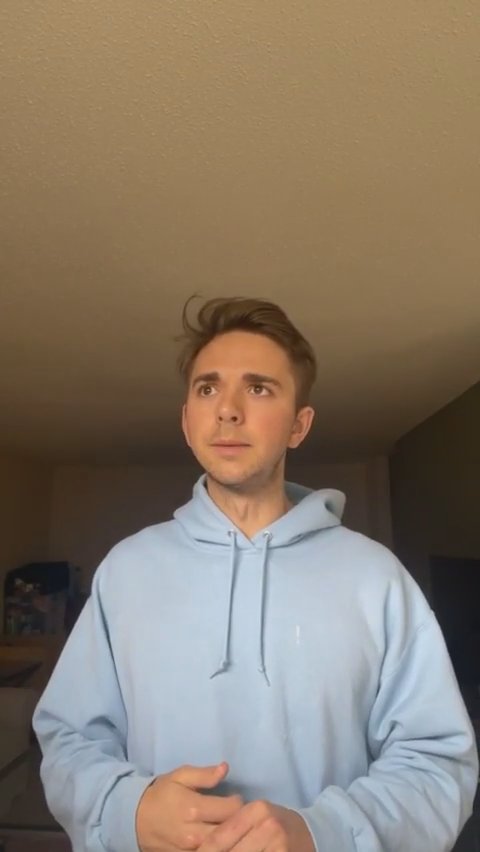
This short intro sets a casual tone and signals the start of the update. Alec describes a meeting with Emily and Luke where they planned the website's structure, audience targeting, and navigation.
Alec opens the live stream, introduces himself, and pauses briefly while waiting for people to join. This short intro sets a casual tone and signals the start of the update.
Alec describes a meeting with Emily and Luke where they planned the website's structure, audience targeting, and navigation. He references examples like Slack and Stripe and shares template brainstorming to convey the desired sleek layout.
Alec outlines the long-term goal for users to sign up, create workspaces, and invite coworkers, while noting major milestones like a desktop app and a six-to-ten-month timeline. He also briefly mentions a personal aside before transitioning back to technical details.
This section explains how workspaces will be structured, including admins, roles, settings, and automatic domain-based account placement. Alec notes initial limits (single workspace at launch) and plans for future multi-workspace support.
Alec describes the chat functionality (DMs, media sharing) and explains the decision to keep wellness content always available while toggling workplace content. He highlights UX considerations and how this approach differentiates the product.
He outlines planned group types (coaching, benefits, discussion feeds), notes that groups may be delayed, and demonstrates how easy going live is. The video closes with weekend well-wishes and a motivational signoff.
What's up team? This is Alec. I wanted to just quickly go live again, you know, just wanted to say hi to everybody. I'll wait if people want to come join. I'll give you guys a quick little tech update, website update, all the fun stuff. So, yeah, I'll just wait for people to come in. Looks like the notification came through. So yesterday, Emily, myself, and Luke all got together and we discussed future plans for what the website's going to look like. All of our audience that we're going to be targeting what navigation links people are going to be able to go to, what pages people are going to be able to go to, how to really differentiate ourselves in the market.
And I'm super excited for what this website is going to look like. com, Facebook's workplace, They do a really good job of explaining what their product is in a quick glance. You look at their website, right away you're able to see what is this? What is this product? Can I sign up for free? Can I see a demo? So we're gonna be incorporating a lot of these different things from different websites, from different products into our new website. And super, super excited for what it's gonna look like.
I did some brainstorming yesterday, last night, trying to find some cool templates that we could pull from. cool layout so we could get started from. And then sent them off to Emily. She gave me some good feedback on what she liked. But it's just going to be a very, very sleek, clean website. Eventually, what we want to have happen is people will be able to go on our website, sign up for an account, and then set up their workspace so that they'll be able to invite all of their coworkers, their employees, right into the app so they can create their own environment and get started right away.
So that's the ultimate goal. I don't see that happening for six to 10 months. There's a lot of things that we have to implement. It's still within the app. We have to create a desktop application. But there's a lot of stuff that we're really excited about and we'll be working on as soon as we get there. I got a new haircut, by the way. I think it's a lot cleaner. I had really long hair before, so very excited about that. So technology-wise, what we're working on right now, I'm working on some of the workspace stuff, how to set up your own workspace.
So this is a pretty intricate system. It's very complex because we want to be able to handle multiple workplaces. Let's say you work for two different companies or you work for one company, you're working on a side project and you want to incorporate Cadre into both of these things. Well, you need to be able to handle multiple workspaces and each workspace will have an admin. They'll have settings, they'll have roles for each user. They'll have to invite users to their workspace. com e-mail address, and you sign up, you'll automatically get pushed right into the Cadre account, which will be the Cadre workspace.
So those things are going to take a little bit of time to implement, but as soon as we get that going, you guys are going to be able to see what the full vision is and how to switch between workspaces. I think to start, we're probably going to just do one workspace at a time. You won't be able to handle multiple, but eventually we'll get to that point. So that's going to be really cool. Ethan is working really heavily on chat feature, the chats feature, being able to direct message, send pictures, videos inside the app.
And this really isn't going to be like a pivotal pivotal part of the app until we create the desktop application and the web application. So this is going to be a constant work in progress. But the chats, being able to share videos with one another, be able to, like wellness videos or videos of live video content from your leaders in your company or any of the wellness creators, being able to share that between friends or contacts or employees will be really cool. We've thrown around how are we going to toggle between wellness and workplace mode.
And this stumped us for a little bit. We probably spent an hour discussing this, but we found that this was the best way forward. And what we think is that wellness always stays on. Okay, and let me explain that. So you have workspace mode and you have wellness mode. All right. And you can do wellness only, so you don't have any work stuff on, meaning like you ended your day, now it's time to relax, kick back, and just enjoy the night. So you don't want any work notifications. So you're gonna go just to wellness mode, oops, you're gonna go just to wellness mode.
m. for some of you. your work mode turns back on, but wellness mode stays there. So you're always going to see the wellness content. It's going to be bumped down to the bottom so you can just focus on company related content like videos, live streams, posts, groups. So you're going to be able to see, cool, you're going to be able to see all of that always. So that's one of the cool features that we've kind of discussed how to implement this, how it's going to work, the UX of it. And I think that's important because our wellness creators are creating great content and creating that balance during the day is extremely important.
So this is something that really differentiates us in the market. It's almost like HR is being given all of these tools for their employees to succeed. And that's exactly what we're doing. So very excited about that. kind of going off of all this by head or by whatever's in my mind. So let's see, next up, groups. So being able to create certain groups, wellness, starting with the wellness content first, we have different groups that creators may want to create. Let's say, This may not be a good example, but coaching, each coach may have their own group of individuals that can talk amongst each other.
Maybe it's a fitness coaching group and they want to all work together to get some good feedback. Maybe some people have questions, other people can answer those questions all within a group. And it'll look like what the post feed looks like. So you'll be able to have conversations ask questions, receive answers from other people in the group around that coaching related content. Or if you're in a company per se, you might join the benefits group. So the benefits group is going to be related to FAQs on all questions surrounding benefits.
You know, you can kind of get the idea from it. Hopefully that didn't end. so groups is going to be really cool. I think that's going to be a feature we'll push off a little bit because it's going to take some time to do all those things. Yeah, I could keep going on and on and on. But I just wanted to do a live video because I want to show you how easy this is. It's so easy to just pick up your phone, go live, boom. Now this is recorded forever for everyone to see. All right? But I really hope you guys have a great Saturday.
I know in Minnesota it's a little bit rainy today, but it's 75 degrees, so it's beautiful. I'm ready to go. Super pumped. Hope you guys have an awesome day, awesome weekend. Go get a pump in, go get a workout in, a run, a peloton, a bike. Go do jumping jacks, get off the couch, go outside, enjoy it. Alright guys, peace.